
Put money aside
The easy way
A simple budget app that shows where every dollar goes. So you can spend without second-guessing, pay your bills on time, and end the month calm.
Works on the devices you already have
Payday, then a few days later it's gone
You're not buying anything crazy. Rent, groceries, a coffee here, a delivery there. And yet at the end of the month you open your account and think: where did it all go? I just don't get it.
You're not bad with money
You just can't see it
You've probably tried
-
A spreadsheet
Boring and complicated after one week.
-
An app full of categories and envelopes
You gave up after 5 minutes.
-
A subscription that never stops
And it wants access to your bank.
So you went back to guessing
It doesn't have to be that hard
Three steps, that's it
No envelopes. No bank login. No spreadsheet formulas. Just you and your money, clear in one place.
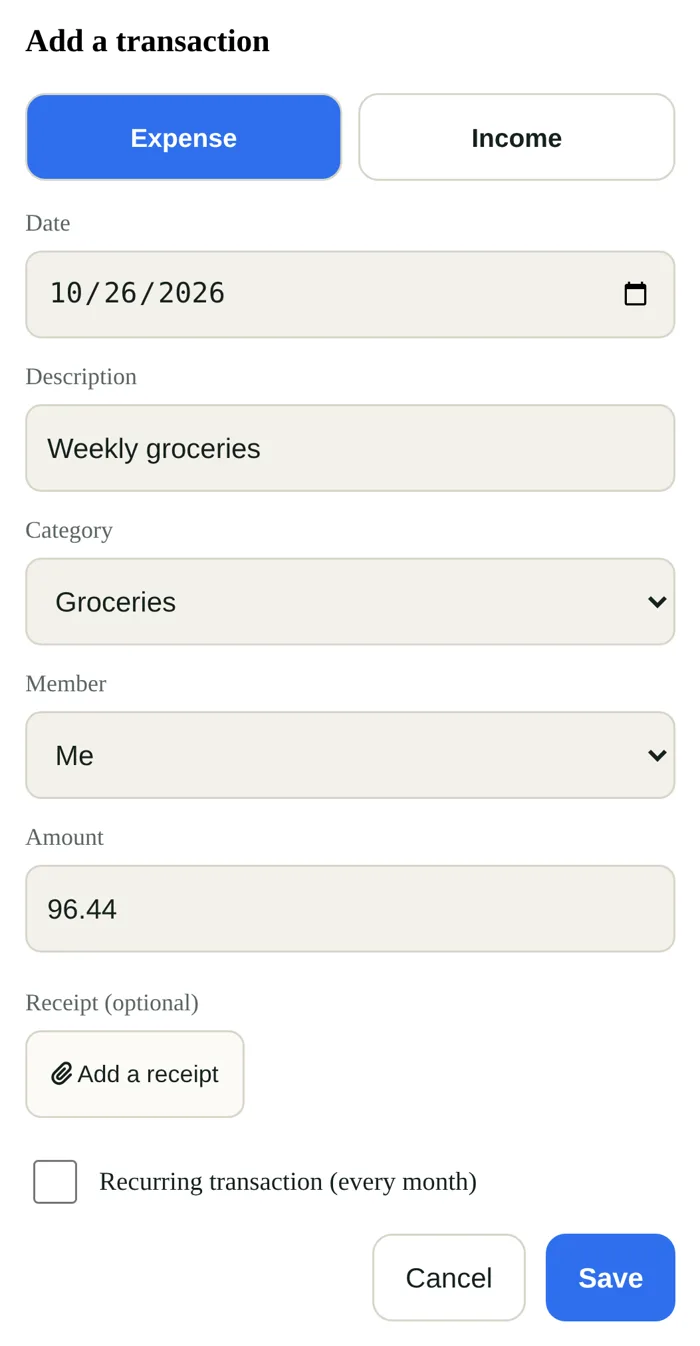
Coffee, groceries, a bill. Type the amount, pick a category, save. It takes a few seconds, even without internet.
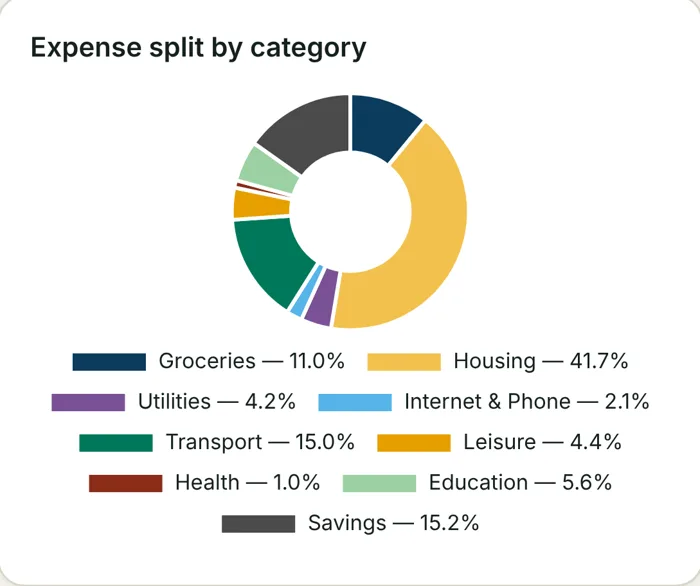
Your whole month by category, in one simple chart. No more wondering where the money went.
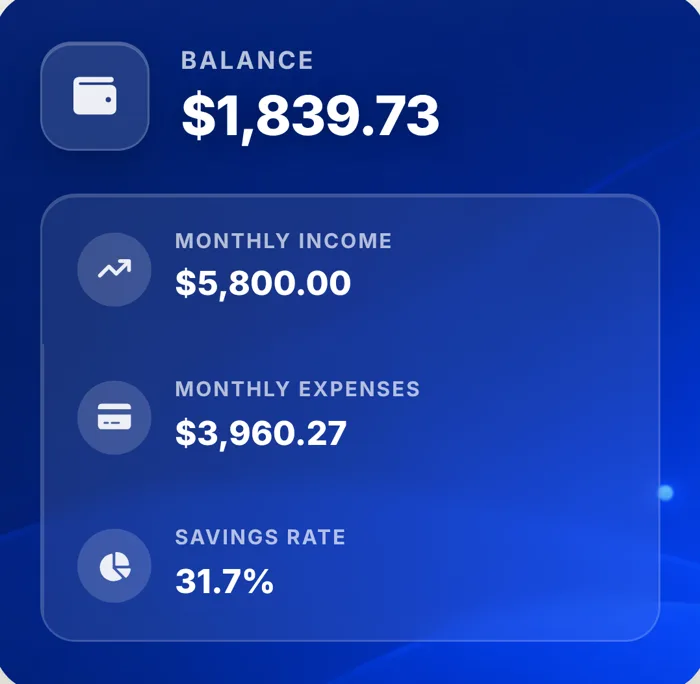
You see what is left, your bills are covered, and you know how much you can put aside. No stress.
Less guessing, more calm
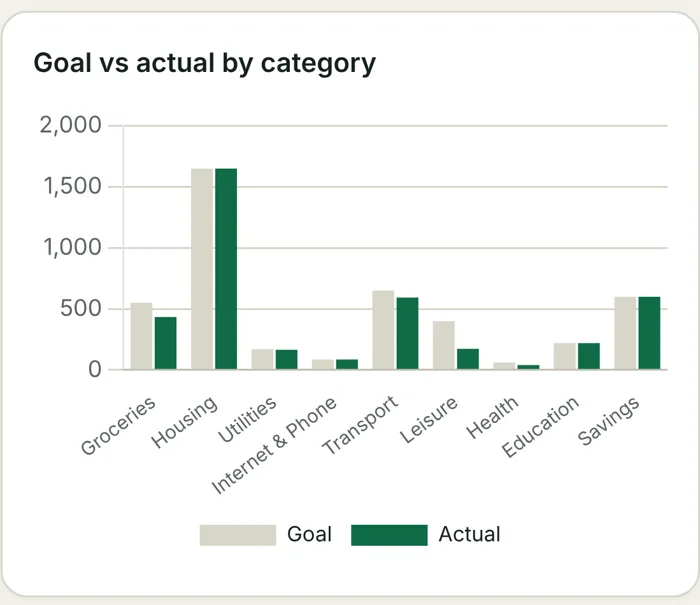
You plan once. After that, a coffee is just a coffee. Your bills are already counted in, so nothing comes as a surprise.
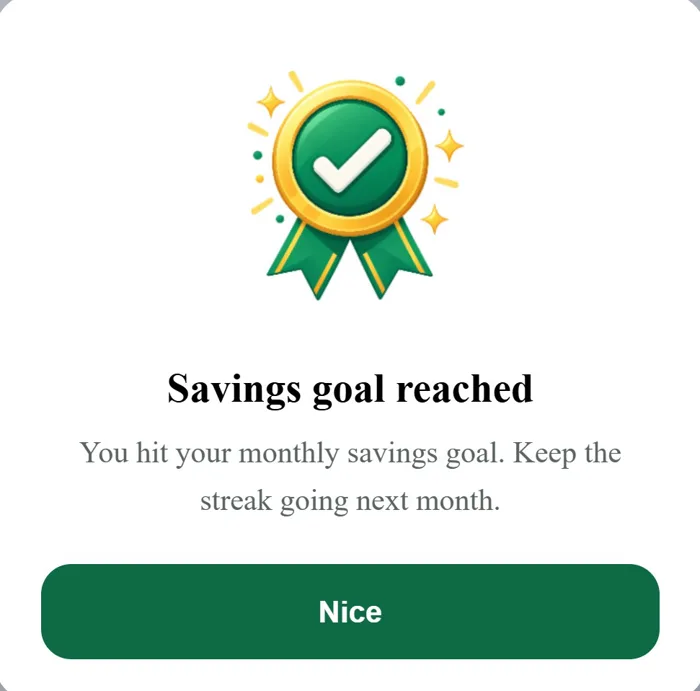
Pick how much you want to keep this month. The app shows your progress and tells you when you reach it.
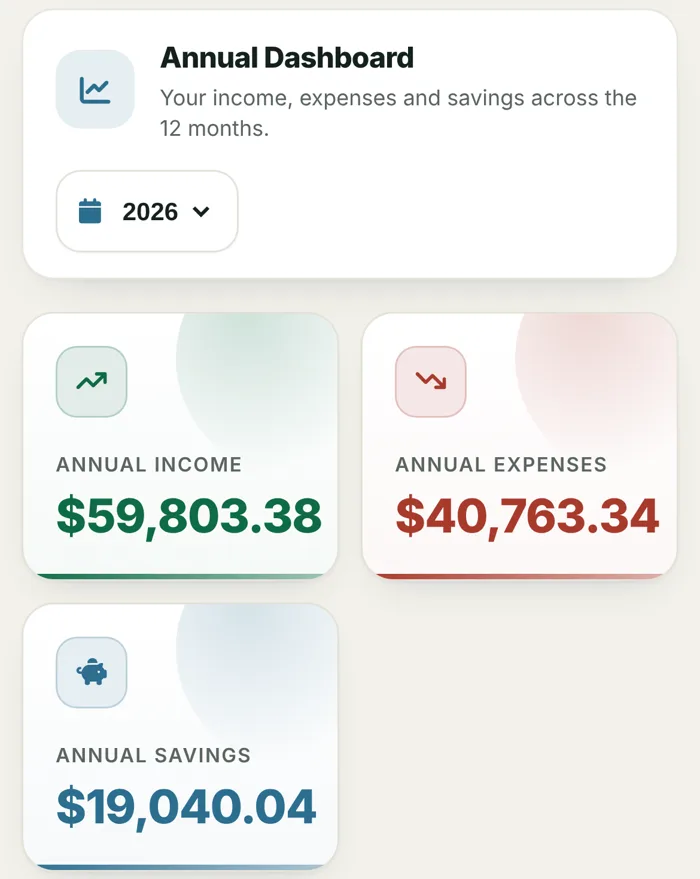
Income, expenses and what you kept, month by month. See how far you have come.
Screens show example data.
Your money is your business
Budget Planner never asks for your bank login. What you type stays on your phone or computer, not on our servers.
- No bank connection
You add your expenses yourself. No bank login, no third party reading your accounts.
- Stays on your device
Your budget is saved on your phone or computer. The only thing our server sees is your license key check.
- Locked with a PIN
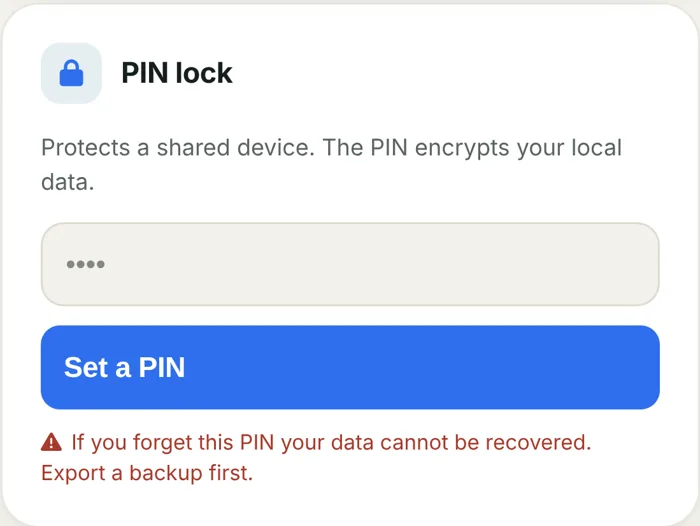
Set a PIN and your data is encrypted on the device. Handy on a shared tablet or computer.
- Your own backup
Back up in one tap, or export to PDF or Excel. Your data, your file.
On your phone and your computer
Your money, finally clear
Add what you spend in a few seconds, then see it all in one place, on every device you use.
Get Budget Planner for $12AI-generated video. The screens show the real Budget Planner app with example data.
Made by Planistra

We make simple apps for everyday life: your budget, your habits, your workouts. Each one works on your phone and your computer, and you pay for it once.
- No subscriptions You buy it, it's yours.
- No ads, no trackers Your data is not our business.
- Real people answer Write to hello@planistra.com, we reply within 24 hours.
Everything you get for $12
- Budget Planner, the full appIncluded
- Phone, tablet and computer (3 devices)Included
- English and FrenchIncluded
- Works offlineIncluded
- Free updatesIncluded
- Support from real humansIncluded
- Printable 30-day tracker (PDF)Bonus
Get Budget Planner for $12
30-day refund. If it's not for you, email hello@planistra.com and we give your money back.
Honest answer before you buy
It's for you if
- Your money disappears You want to see where it goes.
- You want something simple Something you will actually keep using.
- You'd rather type your expenses You don't want to give an app your bank login.
- You're done with subscriptions You want to pay once.
It's not for you if
- You want your bank imported automatically Budget Planner is manual on purpose.
- You need one shared budget that syncs live Between several people's phones. Each device keeps its own data.
- You're looking for investing or credit score tools This app is about your monthly budget.
Before you ask
What is a web app? Do I need the App Store?
Budget Planner opens from a link in your browser, and you can add it to your home screen like any other app. No App Store or Google Play needed. It works on iPhone, Android, tablets and computers.
Does it connect to my bank?
No. You add your expenses yourself, in a few seconds each. No bank login, and nobody else reads your accounts.
Where is my data stored?
Only on your device. Our server only checks your license key. It never sees your budget, your income or your expenses.
Can I use it on my phone and my computer?
Yes, on up to 3 devices with one license. Each device keeps its own data. To move your budget from one device to another, make a backup file in Settings and import it on the other device.
What if I lose or change my phone?
Make a backup from time to time (Settings, Back up now) and keep the file somewhere safe. On your new phone, import it and you are back where you were. Without a backup, data on a lost phone cannot be recovered, because we never store it. If you need your devices reset, email us.
Does it work without internet?
Yes. You need internet once, to activate your license key. After that, the app works offline.
Is it in French? Which currencies?
Yes, the app is in English and in French, and you can switch in one tap. It works with dollars, pounds and euros.
How do I get my license key?
By email, right after payment. Open the app, paste the key, and you're in. Can't find the email? Check your spam folder, or write to hello@planistra.com.
Is it a subscription?
No. You pay $12 once. Updates are free.
What if I don't like it?
Email hello@planistra.com within 30 days and we give your money back.
Recent updates
Updates arrive by themselves the next time you open the app. Your data stays where it is.
- US date formatDates now show as MM/DD/YYYY when your country is set to United States.
- Smarter household comparisonUtilities and property tax are now counted correctly for US renters and owners.
- Your country, your averagesThe housing comparison now uses the country you picked: United States, United Kingdom or Europe.
Put money aside
The easy way
Start with your next expense. In a few weeks, you will know exactly where your money goes.
- Pay once, by cardOne secure screen, $12, no account to create.
- Get your keyIt arrives by email right after payment.
- Open the appPaste your key and add your first expense.
P.S. If you do nothing, next month looks like this one: payday, then the money is gone and you still don't know where. For $12, once, you get Budget Planner on up to 3 devices, the printable 30-day tracker, and 30 days to change your mind.